
What we like
- ✓ Wireless Bluetooth connectivity
- ✓ Modern design
- ✓ No traditional audio cable required during wireless use
- ✓ Convenient for everyday use
- ✓ Suitable for music, videos, and podcasts
- ✓ Useful for calls
- ✓ Over-ear design
- ✓ Convenient for travel and commuting
Consider before buying
- • Battery life may vary depending on usage
- • Compatibility depends on the connected device
- • Features may vary depending on the specific product version
- • Audio performance can depend on the device and Bluetooth connection
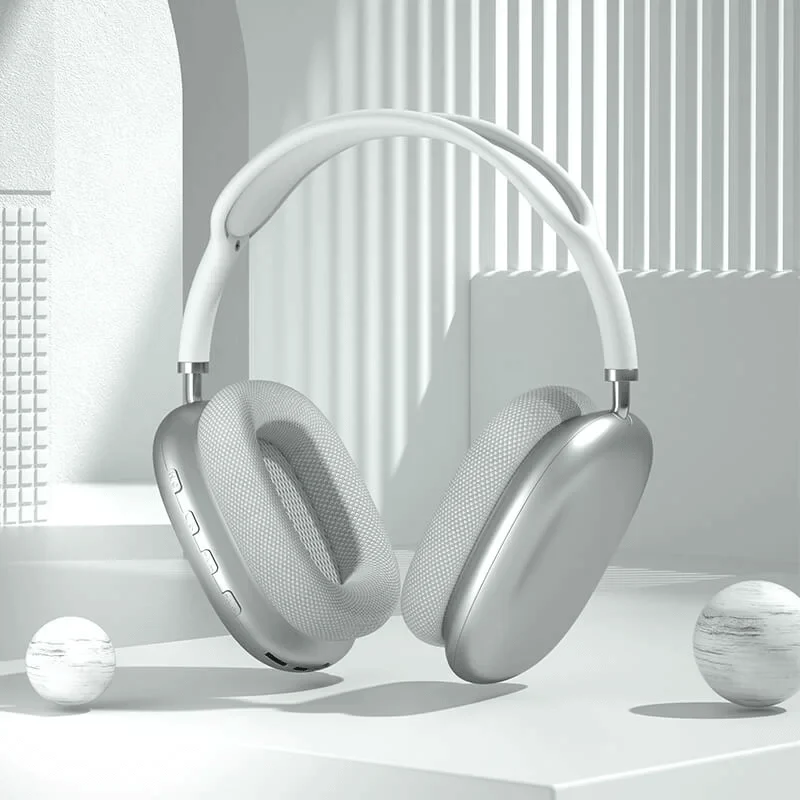
P9 AIR Bluetooth Headphones – Wireless
Enjoy more freedom while listening to your favorite music, podcasts, videos, and calls with the P9 AIR Bluetooth Headphones. Their wireless design provides a convenient audio experience for everyday use.
With Bluetooth connectivity, the headphones can be paired with compatible devices for convenient wireless listening without the need for traditional audio cables.
Wireless Freedom
Leave tangled cables behind and enjoy greater freedom of movement. Bluetooth connectivity lets you listen to your favorite content without being connected by a cable.
Modern Over-Ear Design
The P9 AIR features a modern over-ear design that is suitable for different everyday listening situations, whether you're relaxing at home, working, traveling, or commuting.
Perfect for Everyday Entertainment
Use the headphones to listen to music, watch videos, enjoy podcasts, participate in calls, or simply enjoy your favorite audio content throughout the day.
Bluetooth Connectivity
Connect the P9 AIR headphones to compatible Bluetooth-enabled devices and enjoy a practical wireless listening experience.
Key Features
- Wireless Bluetooth headphones
- Modern over-ear design
- Bluetooth connectivity
- Suitable for everyday use
- Ideal for music and podcasts
- Suitable for watching videos
- Useful for calls
- Wireless design for greater freedom of movement
Audio Convenience Wherever You Go
Whether you're at home, at work, traveling, or commuting, the P9 AIR headphones offer a convenient way to keep your favorite audio within reach.
Get your P9 AIR Bluetooth Headphones today and enjoy your favorite audio with greater wireless freedom and convenience.
Frequently asked questions
What are the P9 AIR Bluetooth Headphones?
The P9 AIR Bluetooth Headphones are wireless headphones designed for convenient listening without a wired connection. They can be used with compatible devices for activities such as listening to music, watching videos, and enjoying other audio content.
How do I connect P9 AIR Bluetooth Headphones to my phone?
To connect the P9 AIR Bluetooth Headphones, turn on the headphones and activate Bluetooth on your phone. Open your phone's Bluetooth settings, look for the headphones in the available device list, and select them. Follow the product instructions if a different pairing process is required.
Are P9 AIR Bluetooth Headphones compatible with Android and iPhone?
The P9 AIR Bluetooth Headphones can connect to phones that support their Bluetooth connection. Compatibility may depend on the device and headphone model, so check the product specifications if you are unsure whether your Android phone or iPhone is supported.
Can I use P9 AIR Bluetooth Headphones for listening to music and watching videos?
Yes, the P9 AIR Bluetooth Headphones are designed for wireless audio listening, making them suitable for music, videos, and other compatible audio content. The listening experience may vary depending on your device and the audio source.
How do I charge P9 AIR Bluetooth Headphones?
Charging requirements depend on the specific P9 AIR headphone model. Check the included instructions for the correct charging method, compatible cable, and charging precautions before connecting the headphones to a power source.
How long does the P9 AIR Bluetooth Headphones battery last?
Battery life depends on the specific model, battery condition, volume level, and usage habits. Refer to the product specifications or manufacturer's instructions for verified battery life and charging-time information.
How do I clean and maintain P9 AIR Bluetooth Headphones?
Clean the P9 AIR Bluetooth Headphones with a soft, dry cloth and follow the manufacturer's care instructions. Keep the headphones away from excessive moisture, avoid using harsh cleaning products, and store them in a clean, dry place when not in use.
What should I do if my P9 AIR Bluetooth Headphones won't connect?
If your P9 AIR Bluetooth Headphones won't connect, make sure they are charged and turned on, then check that Bluetooth is enabled on your device. Try disconnecting old pairings, restarting Bluetooth, and pairing the headphones again. Consult the product manual if the issue continues.